v1.4.0 · macOS, Windows, Linux

Notes that live
on the edge of your screen

A floating, keyboard-first notes app. Press one shortcut to search, copy a link, or jump into a note — without ever reaching for the mouse.

$ brew install hypn05/noteminder/noteminder Other downloads

Free and open source · MIT licensed on GitHub
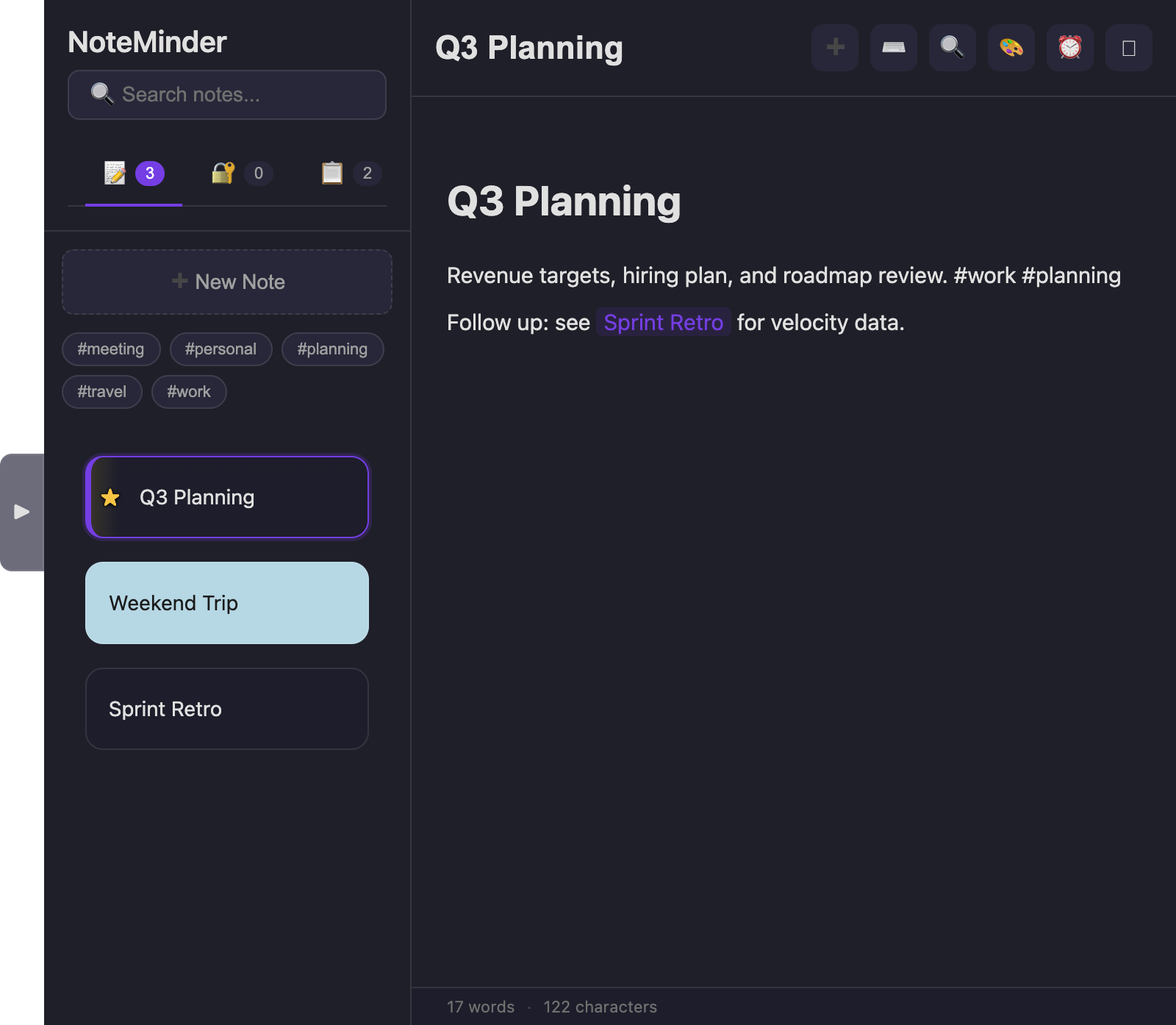
NoteMinder's main window: a note list with tags and a favorited note, next to an open note with a colored background and a link to another note
⌘⇧Space, anywhere

Search finds more than notes

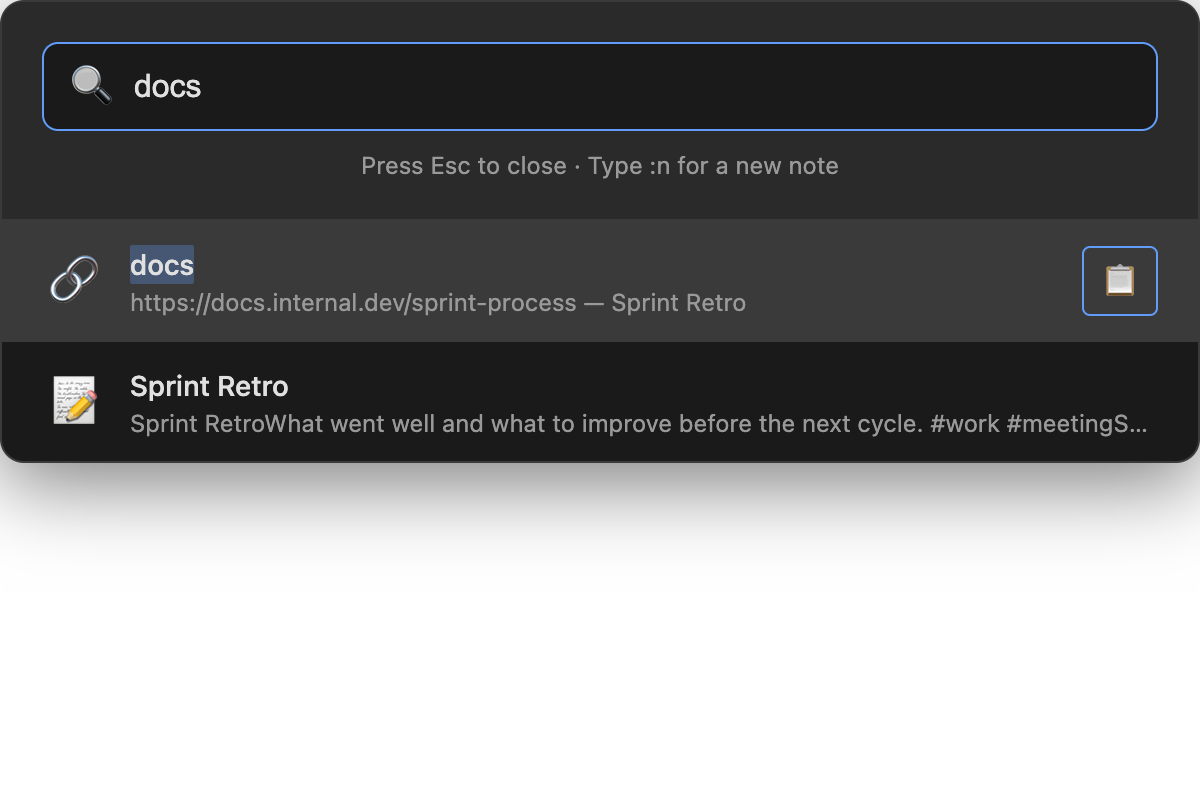
A Spotlight-style palette that lives outside the app entirely — summon it from any window, on any desktop.

Spotlight-style search showing a link result labeled 'docs' with its URL, ready to copy, above a matching note result

Copy a link without opening the note

Label a link in any note — select text before inserting it, or just write docs: https://… — and it becomes its own searchable result. Type the label, hit Enter, and the URL is on your clipboard.

  • :nType it in search to create a new note instantly.
  • Enter on a note opens it; on a link or clip, it copies.
  • ⌘⇧VSave whatever's on your clipboard as a searchable clip, from any app.
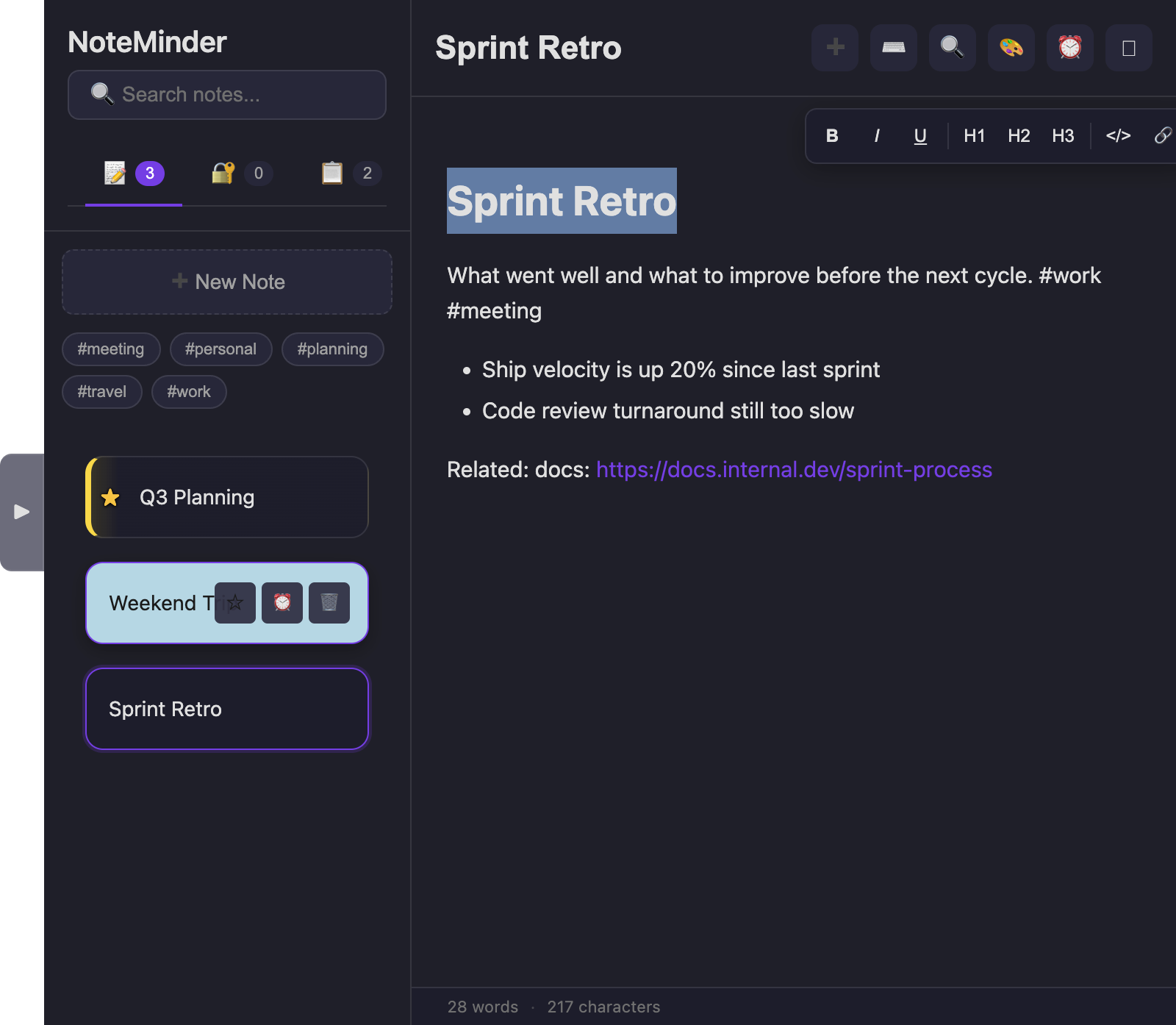
A floating formatting toolbar with Bold, Italic, Underline, headings, code and link buttons, appearing above selected heading text

A toolbar that shows up only when you need it

No fixed row of buttons eating space. Select text and a small floating toolbar appears right there — Bold, Italic, headings, code, links. Everything else lives in one Insert menu.

  • #tagWrite a tag anywhere in a note; it becomes a clickable filter in the sidebar.
  • [[…]]Link one note to another with live autocomplete — creates the note if it doesn't exist yet.
  • 🗗Undock into an ordinary, resizable window when you want it — dock it back with one click.
Everything else

Built for actual day-to-day use

Smart reminders

One-time, daily, or weekly alerts on any note, with native notifications.

🔐

Password vault

Encrypted password entries alongside your notes, unlocked with Touch ID.

📋

Clips

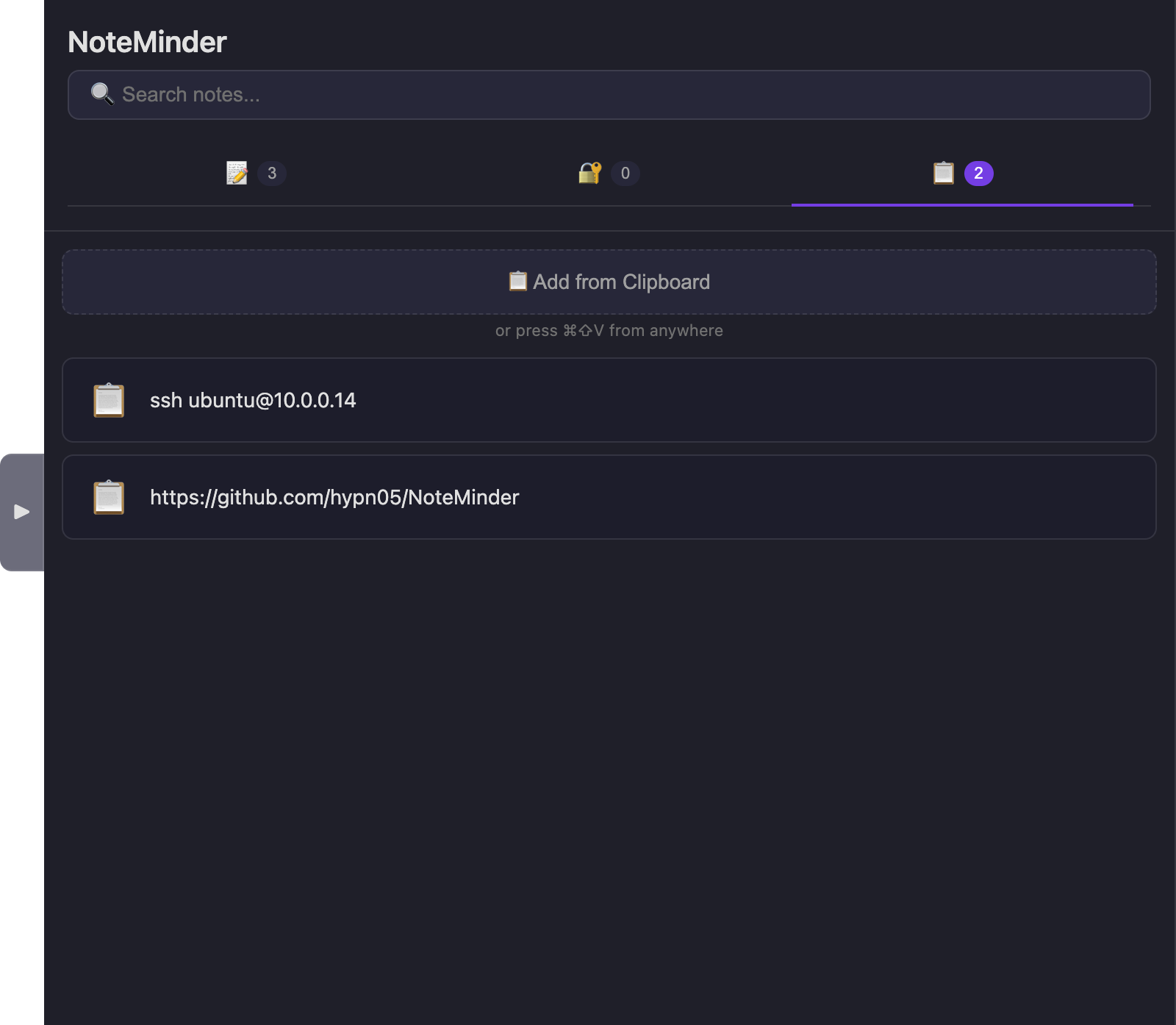
A running, searchable history of things you've copied — grab any of them back later.

🎨

Color-coded notes

Give any note a background color to sort visually at a glance.

📄

Markdown import

Bring in existing .md files, or export your notes as JSON.

⌨️

Shortcuts for everything

A built-in cheat sheet (⌘/) covers formatting, navigation, and markdown-style typing.

⌘/ for the full list, anytime

Keyboard shortcuts

Everything below works without touching the mouse. Windows and Linux use Ctrl in place of ⌘, and Alt in place of ⌥.

Navigation

  • Open search, anywhere⌘⇧Space
  • New note⌘N
  • Find in note⌘F
  • Save clipboard as a clip⌘⇧V
  • Collapse the sidebarH
  • Close search / modalEsc
  • Show this shortcuts panel⌘/

Formatting

  • Bold⌘B
  • Italic⌘I
  • Underline⌘U
  • Strikethrough⌘⇧X
  • Highlight⌘⇧H
  • Inline code⌘E
  • Insert link⌘K

Blocks

  • Heading 1 / 2 / 3⌘⌥1–3
  • Normal text⌘⌥0
  • Numbered list⌘⇧7
  • Bullet list⌘⇧8
  • Task list⌘⇧9
  • Undo / Redo⌘Z / ⌘⇧Z

Type-to-format (markdown)

  • Heading 1–6# … ######
  • Bullet list- / * / +
  • Numbered list1.
  • Task item[ ] / [x]
  • Bold / Italic**t** / *t*
  • Blockquote>
Dark, Light, or Paper

Match the app to your mood

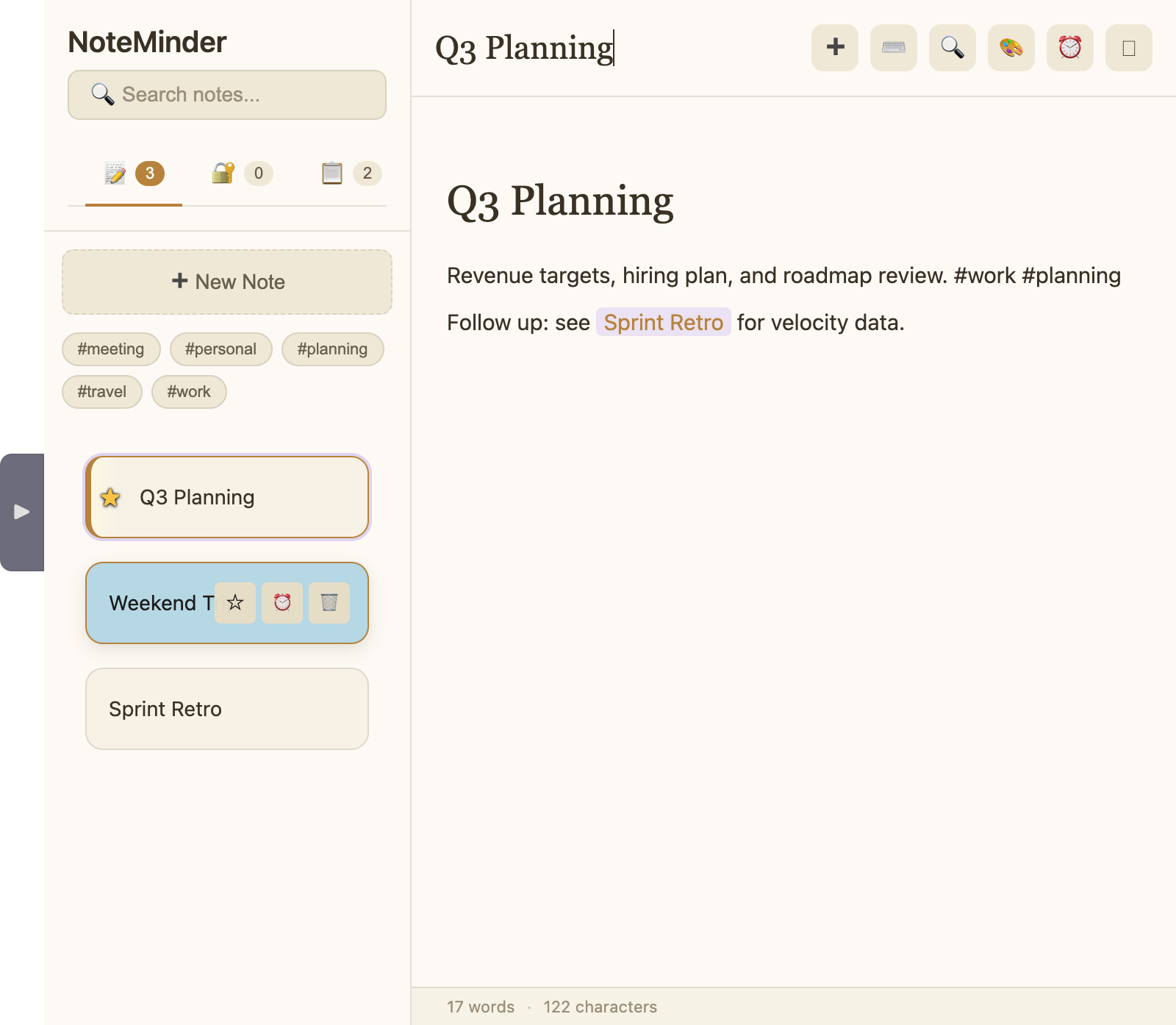
Same features underneath — Paper trades the dark glass look for something closer to actual paper.

Dark (default) NoteMinder in the default dark theme, showing the Clips tab with two saved clips
Paper NoteMinder in the warm Paper theme, showing a note with a serif heading and gold accents
Get it

Install NoteMinder

macOS
Apple Silicon & Intel
Download .dmg
Or: brew install hypn05/noteminder/noteminder
Update notifications (not signed by Apple yet)
Windows
x64 installer
Download .exe
Run the installer, then launch from the Start Menu. SmartScreen may warn once per version — click "More info → Run anyway".
Updates silently in the background
Linux
AppImage, .deb, or .rpm
chmod +x the AppImage and run it, or apt/dnf install the package for your distro.
Updates silently (AppImage & .deb)
Copied